















Our commitments
Printed directly in our workshop, no middlemen
Digital and offset presses right in our workshop. You deal directly with the people who make your order, so every request is understood and handled immediately.
Fast production, many orders ready the same day
Business cards, documents, decals, standees… printed and delivered the same day. See production times for each product group.
One point of contact, all-in-one from file to finished product
Quotes, orders, Zalo messages, delivery booking and invoicing run automatically on one system. Design – printing – finishing – installation all happen in-house, so you don't have to go anywhere else.
Full VAT invoices, issued fast
E-invoices issued right after delivery, with urgent support for businesses that need documents early for payment.
CNC cutting
Contact us for a quote
CNC cutting only, no printing. Prices depend on the complexity of the cut path — contact us for a quick quote.
Quote-on-request product
This item is quoted based on actual size, materials and quantity. Send a request and In Quảng Cáo Q7 will reply within 30 minutes during office hours.
When messaging, please include size · quantity · date needed and your design file if you have one.
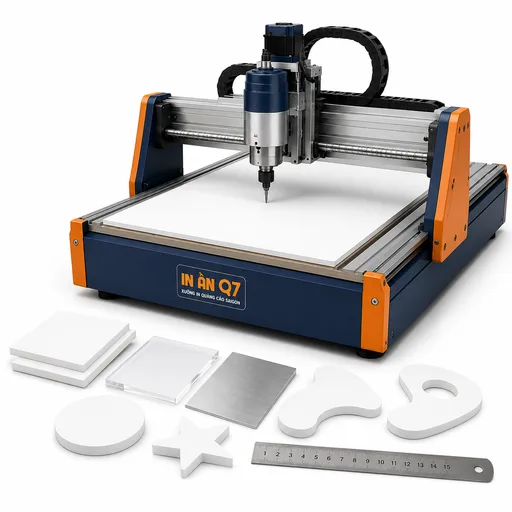
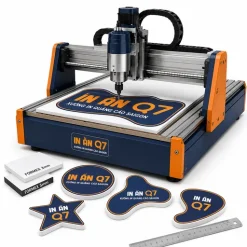
CNC Cutting – Shape Cutting on Formex, Acrylic and Alu in District 7
CNC cutting is a service cutting flat sheets along the exact lines in your design file: cutting loose letters, hollow patterns, or along the outline of any shape. In Quảng Cáo Q7 cuts on materials customers bring in or on plain stock materials at the workshop — cutting only, printing not included. Workshop at 49 Mai Van Vinh, Tan Hung Ward, Ho Chi Minh City. Some images in this article are illustrations.
What CNC cutting can do
The machine follows the vector paths in the file, so it cuts both straight and curved lines, including small details that hand cutting can't do cleanly. The three groups of jobs we take most:
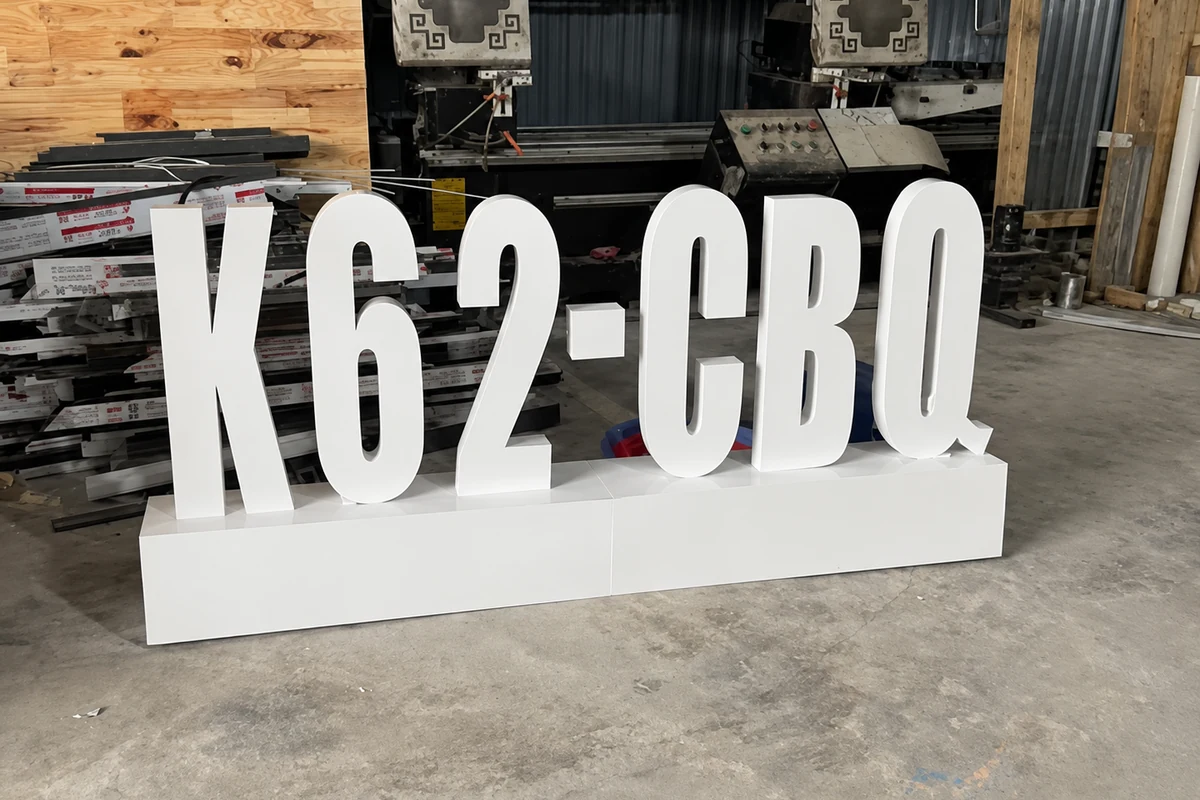
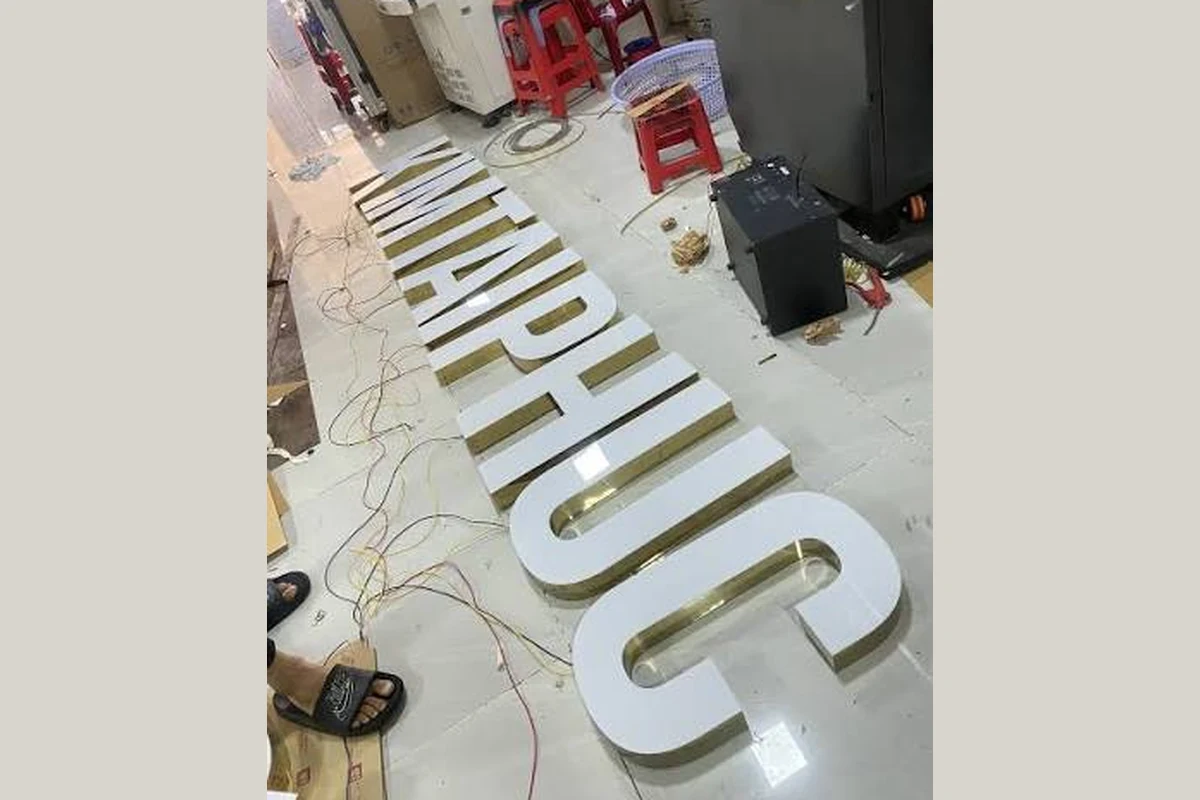
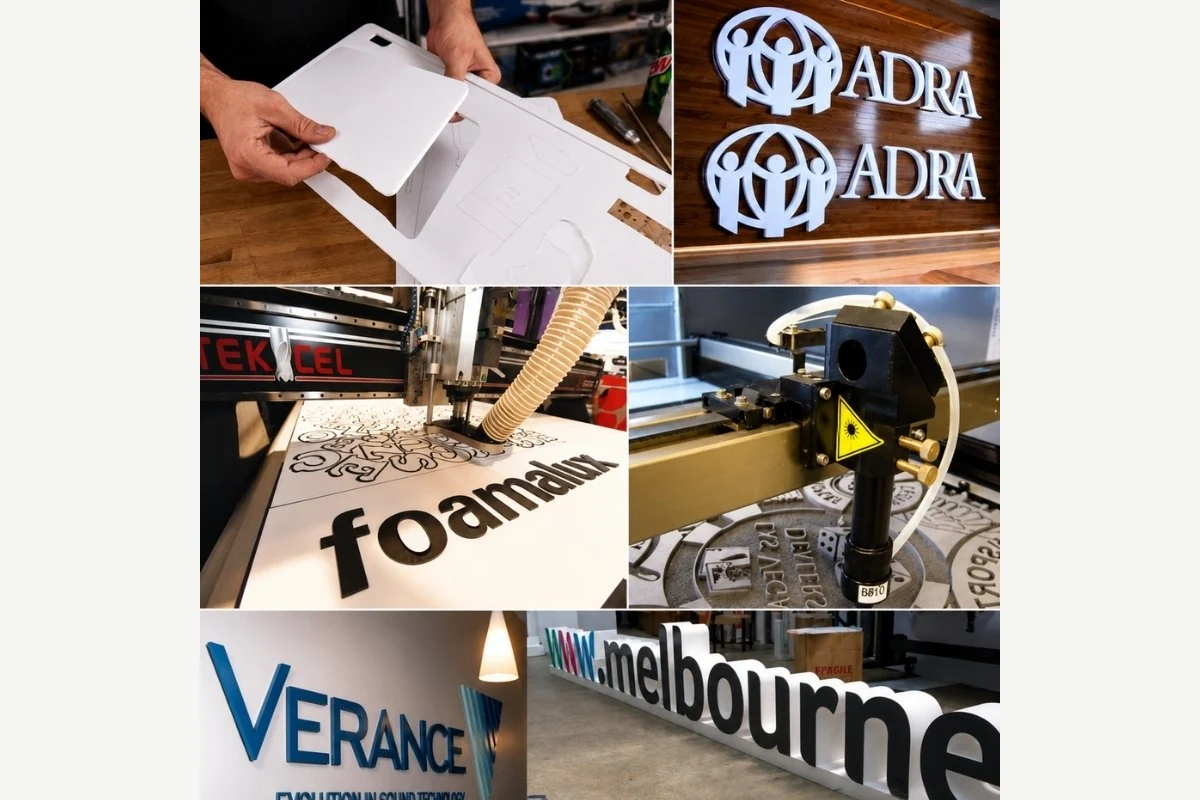
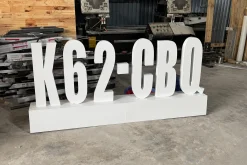
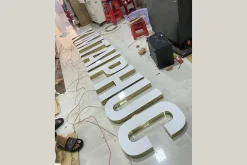
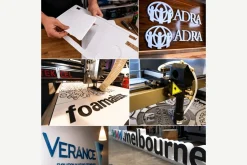
- Cutting loose letters — each letter separated from the sheet with straight edges, for mounting on signboards, backdrops or walls.
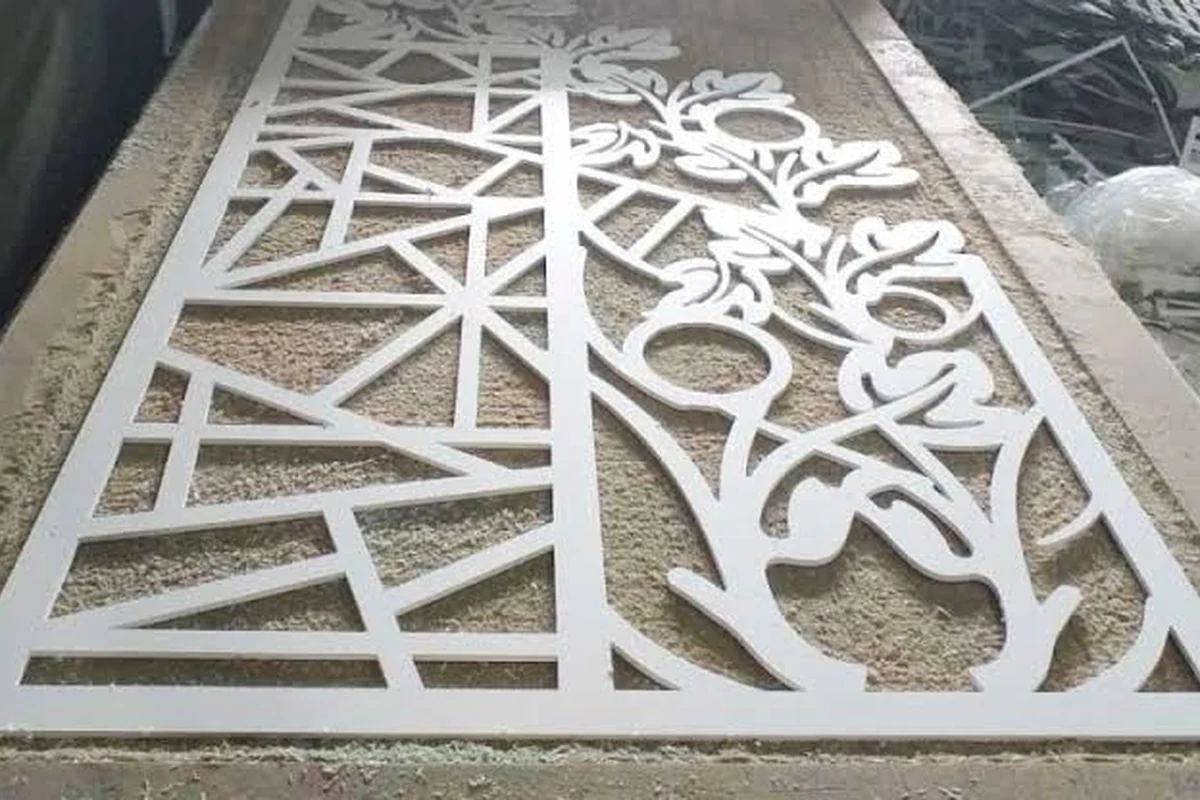
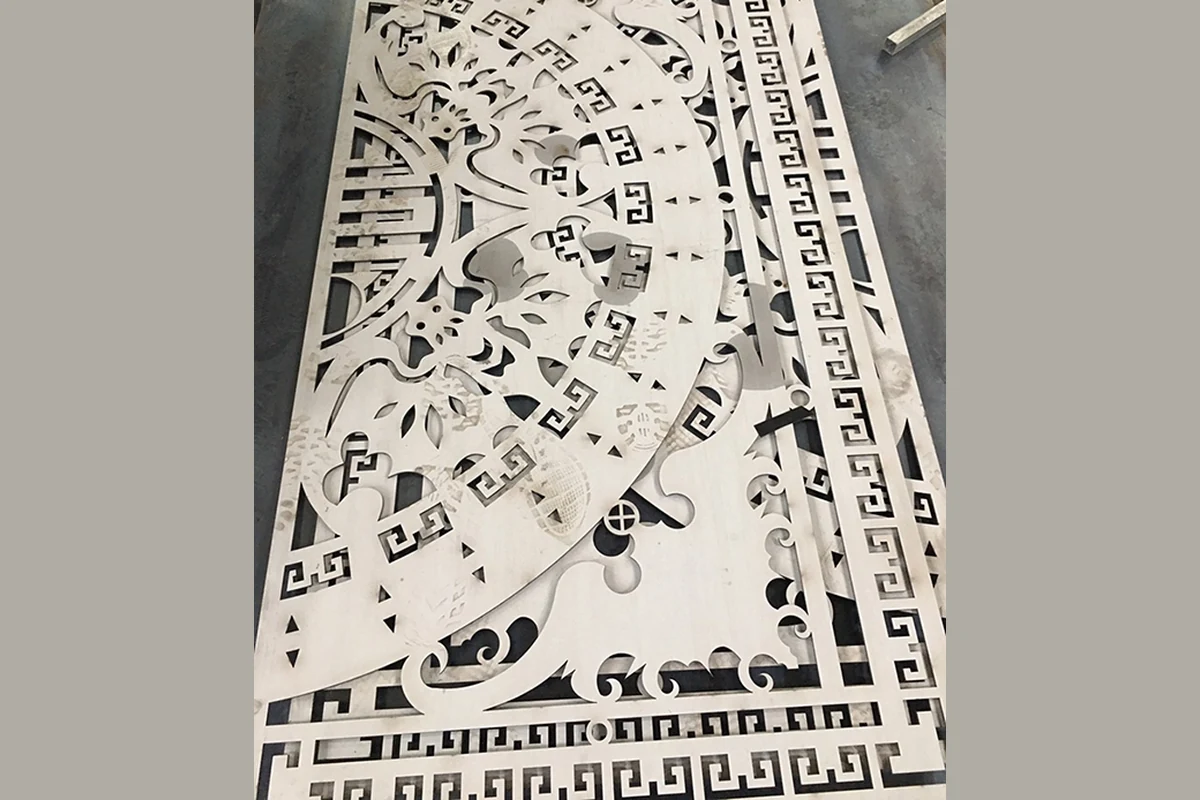
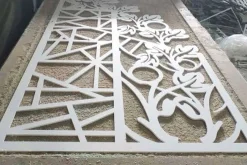
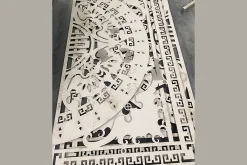
- Cutting hollow patterns — cutting patterns through the sheet for partitions, decorative panels and hollow logos.
- Cutting along outlines — cutting any shape out of a sheet, often for life-size cutout standees, display models and custom-shaped signs.
Materials we cut
We cut Formex (PVC Foam), acrylic, alu and other flat sheets. Customers can bring their own material or use plain stock material at the workshop. Thickness and sheet type affect cutting speed and edge sharpness, so when sending a request, tell us the sheet thickness so we can confirm whether it can be cut.
Common uses
Most CNC cutting orders accompany a bigger item: letter sets for frontages, decorative pieces for reception counters, letters and logos for event backdrops. For large letter sets, CNC cutting is almost the only way to keep letters uniform and assembled at the exact spacing in the drawing.
Cut loose letters can be left in the material's color, painted, covered with decal or fitted with bases to stand upright. If you also need them mounted on a frontage, see Advertising Signs — which includes installation.
CNC cutting
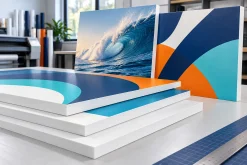
Formex (PVC Foam)
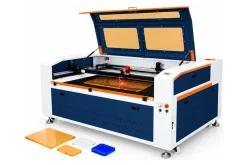
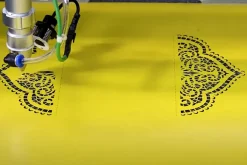
CNC cutting


Advertising signs
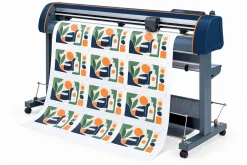
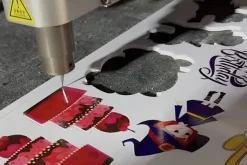
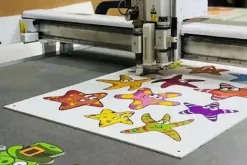
Cutting along outlines on printed sheets
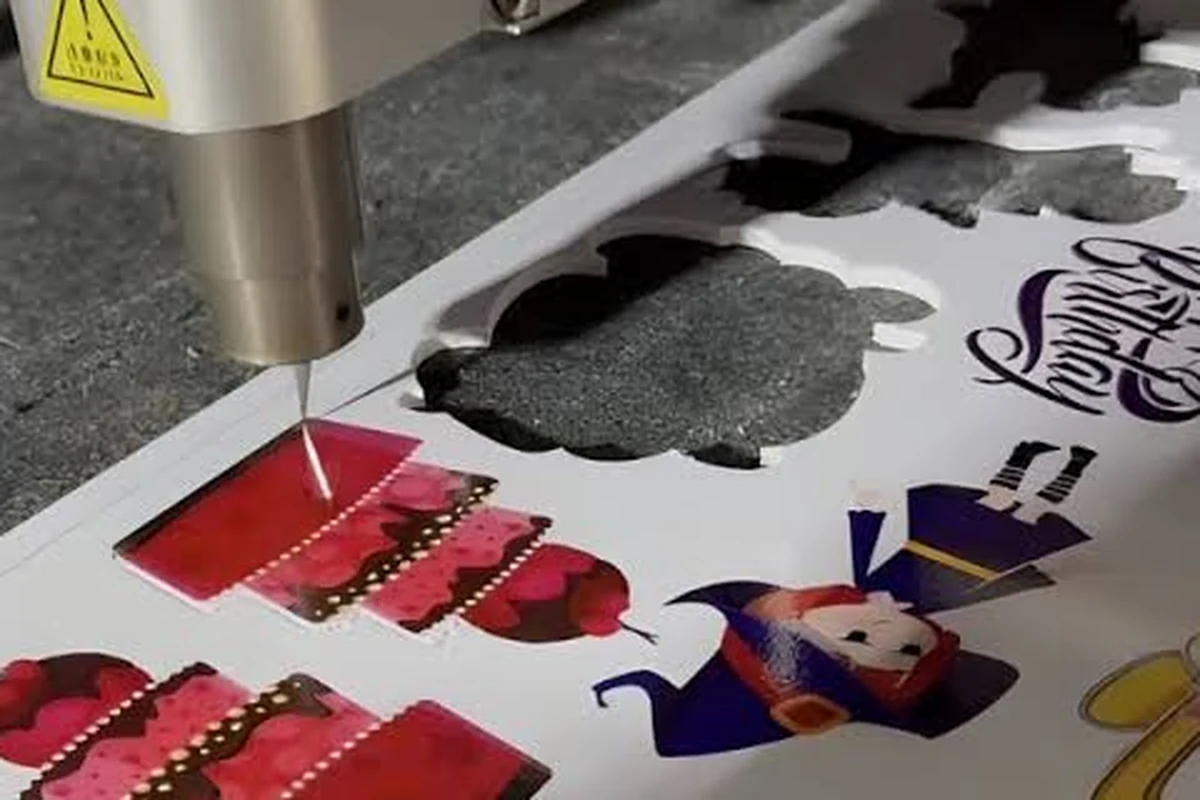
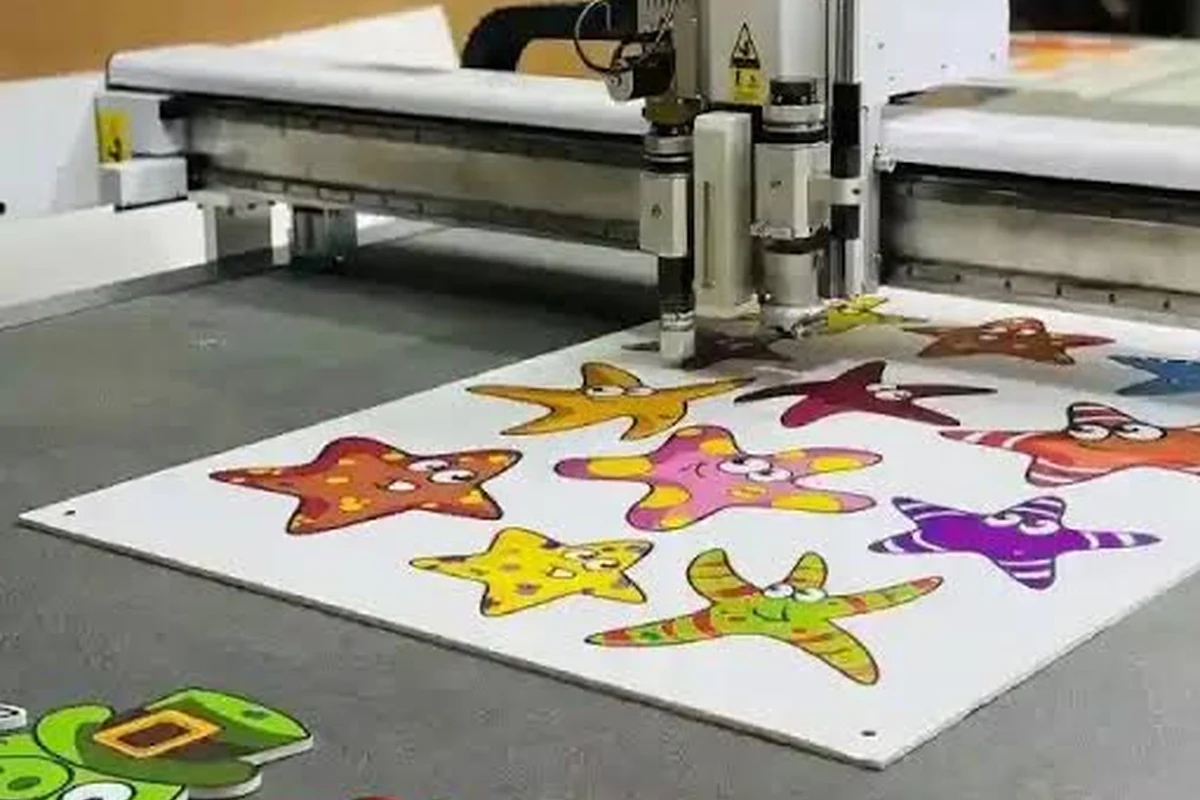
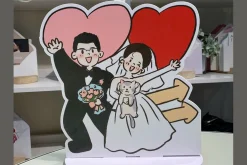
For pre-printed sheets, the machine follows the image outline to separate the product from the excess background. This step is common for display models, character standees and custom-shaped signs.
To be clear and avoid confusion: this page covers cutting only. The two images below are examples of cutting on previously printed material, not printing included in the same cutting order. If you need printing and cutting together, message us on Zalo and we'll split it into two items with separate quotes.
Design file requirements
- PDF or AI, CMYK color mode, at least 150dpi at actual size.
- Leave 3mm bleed on each edge; sizes from 100cm up need a 5cm safe area.
- Convert text to outlines before sending.
- No file yet? Add the design service right on this page.
Cut paths should be closed vector strokes. Open paths or overlapping strokes make the machine run incorrectly; we'll let you know before cutting rather than editing customers' files ourselves.
How we quote CNC cutting
CNC cutting is priced per square meter of the shape's outer bounding box — the smallest rectangle containing the piece, not the area of remaining material. Beyond area, the final figure also depends on cut path complexity, material type and thickness, and the number of pieces in an order.
The quickest way to get a figure: send the design file with the material type and thickness via Zalo or call 0866.511.099, and we'll quote within 30 minutes during office hours.
Delivery areas
Our workshop is in Tan Hung Ward, so it's most convenient for customers in former District 7 — now Tan Hung, Tan My, Tan Thuan and Phu Thuan wards — and nearby areas such as Nha Be, District 4 and District 8. Other areas of Ho Chi Minh City are still served, delivered by distance. Customers bringing material to cut can visit our workshop at 49 Mai Van Vinh, Tan Hung Ward, Ho Chi Minh City.
How CNC cutting differs from laser cutting and decal die-cutting
CNC cutting, laser cutting and decal die-cutting all cut from files but serve three different groups of jobs. Choosing the wrong technology is a common reason pieces don't turn out as expected.
| CNC cutting | Laser cutting | Decal die-cutting | |
|---|---|---|---|
| Cuts with | A rotating router bit | A laser beam | A pressure die blade |
| Suitable materials | Thick sheets: Formex, acrylic, Alu | Acrylic, wood, paper | Thin decal with backing |
| Smallest detail | Moderate, limited by the bit width | Very small, fine cuts | Small, but sharp corners tear easily |
| Cut edge | Flat, may need light sanding | Crisp, with polished edges on acrylic | Soft edges following the decal |
| Best suited to | Large loose letters, cut-out shapes, thick sheets | Hollow patterns, small letters, continuous curves | Labels, stickers, flat applied lettering |
The rule of thumb in short: thick sheets with medium-sized details, CNC cutting; small details or many curves, laser cutting; things applied flat to a surface, decal die-cutting. Describe the finished product you want, and we'll choose the right technology and get back to you.
File errors that make CNC cutting need rework
Files for CNC cutting differ from print files: the machine follows vector paths, not images. Errors that send files back for correction:
- Cut paths not closed — with open paths, the machine can't tell inside from outside. Check by filling with a color; any spot that doesn't fill is open.
- Overlapping paths — two strokes on top of each other make the machine cut the same spot twice, wasting time and spoiling the edge.
- Text not converted to outlines — if the font isn't on our computer, the text gets substituted and the letter shapes are completely wrong.
- Strokes too thin for the bit — details narrower than the bit can't be cut and will break.
- Loose inner pieces without bridges — the counters of letters like O or A fall out unless bridges are left.
- Using JPG images instead of vectors — CNC machines can't read images; they must be redrawn as paths.
Send AI or PDF files with vector layers intact. If you only have a photo or JPG, we can redraw it, but it costs extra and needs shape approval before running.
What to note when bringing your own material for CNC cutting
Customers bringing their own material is something we handle regularly. A few things to agree on first so no sheets are wasted:
- Bring one spare sheet — CNC cutting on unfamiliar material always needs a test run to calibrate speed and depth. One spare sheet gives peace of mind.
- State the type and thickness clearly — cast and extruded acrylic run differently, as do engineered and solid wood.
- Sheets must be flat — warped sheets don't hold down flush on the machine bed, so cuts go off-line.
- Which side is the face — some materials have a nicer side; say so in advance so the operator places it the right way up.
- Materials we don't accept — thick metal, glass, stone. These need other specialist machines.
If you don't have material, we stock plain sheets of common types. This is more convenient since you don't need to buy and transport it, and we already know the machine settings for our own materials.
Why CNC cutting is priced by cut path
CNC cutting isn't priced by sheet area but by total cut path length, since that's the actual machine time. In practice:
- Simple shapes cost less than detailed ones — a square and a flower of the same size can differ several times in cut path length.
- Letters with many strokes cost more than simple ones — serif letters with long curves have longer paths than simple block letters.
- Nesting shapes closely reduces cost — making the most of the sheet and reducing waste.
- Cutting in one run is cheaper than several — each machine run needs its own calibration.
- Thickness affects speed — thick sheets need multiple passes, taking longer than thin sheets with the same cut path.
CNC cutting starts from 250.000đ per square meter using the workshop's plain stock material. For complex cut paths, send your file so we calculate the actual path length and give you the real figure, rather than estimating by sheet size.
We accept small orders, even just a few pieces. Small orders cost more per piece since they still need one machine setup, but there's no mandatory minimum.
Common CNC cutting order groups
CNC cutting orders at our workshop fall into a few familiar groups, each with its own notes:
- Loose letters for walls — company names, slogans and logos mounted in lobbies or meeting rooms. Letters need enough thickness not to warp when hung, usually acrylic or 5mm Formex.
- Reception counter logos — each stroke cut separately and mounted raised on a background, optionally with backlighting.
- Room nameplates — small size, large quantities, usually cut in bulk on one sheet and then separated.
- Event backdrop letters — large but single-use, with Formex preferred for lightness and low cost.
- Event decoration pieces — patterns, photo frames, standing characters. This group often needs urgent work, so send files early.
- Jigs and templates for production — cut from technical drawings to make patterns, requiring tighter tolerances than the groups above.
For loose wall letters, tell us the mounting method in advance: adhesive, countersunk screws or standoffs so letters stand out from the wall. Each needs different preparation, and knowing in advance lets us do it during cutting.
Finishing after cutting
After cutting, finishing decides whether pieces look clean:
- Edge sanding — the bit leaves small burrs on the underside; light sanding flattens the edge, especially on acrylic and Alu.
- Removing protective film — acrylic and Alu have protective film on both sides, removed after cutting so the surface isn't scratched during processing.
- Cleaning cutting dust — Formex produces lots of static-clinging plastic dust that must be blown off before packing.
- Numbering — for multi-character letter sets, we label the back with numbers in assembly order so you don't have to guess.
- Packing in sections — small pieces bagged together, large pieces sandwiched in cardboard to prevent breakage.
When you receive the goods, check the smallest pieces right away, since that's where machine errors most likely occur. If any stroke isn't fully cut or an edge still has burrs, let us know the same day and we'll fix it at no extra charge.
How long a CNC cutting order takes
The time for a CNC cutting order depends mainly on three things: whether the file is ready, whether material is in stock, and the total cut path length.
- Files are clean vectors and we have the material in stock — it goes onto the machine right after confirmation; the fastest case.
- Files need redrawing — extra time to build paths and a round of shape approval with you.
- Material must be ordered — colors or thicknesses outside common stock mean extra waiting.
- Large orders with many pieces — long machine time, plus edge sanding and sorting.
For urgent orders, tell us when sending the file and we'll schedule an early machine slot. But one thing can't be shortened: the file must be correct before running. The machine cuts exactly along the file's paths, and one wrong stroke ruins the whole sheet and means recutting on a new sheet from scratch.
Frequently asked questions
Does CNC cutting include printing? No. This page covers cutting only. If you need printing and cutting, we split it into two items with separate quotes.
Can I bring my own material to cut? Yes. Tell us the sheet type and thickness in advance so we can confirm the machine can cut it, then arrange a time to bring it in.
How small can details be cut? It depends on sheet thickness and stroke style. Strokes too thin for the material thickness break easily when removed from the sheet, so we review the file first and tell you where adjustments are needed.
Do you accept orders for just a few pieces? Yes. Small orders are welcome; the cost per piece is just higher than cutting many on one sheet.
How long does it take? It depends on the number of pieces and the complexity of the cut lines; we confirm a specific date when sending the quote.
How to order CNC cutting
- Message Zalo or call 0866.511.099, sending the design file with the material type and thickness.
- Receive a quote and delivery date.
- Approve the cut file, pay the deposit and wait for the production slot.
Some images on this page are illustrations.
| Made at | In Quảng Cáo Q7 workshop – 49 Mai Van Vinh, Tan Hung Ward, Ho Chi Minh City |
|---|---|
| Origin | Vietnam |
| Status | Made to order |
| Warranty | 24 hours from receipt: if you find a printing error or a difference from the approved file, let us know and we will reprint free of charge. |
Quote-on-request product. Prices quoted exclude 8% VAT; the invoice adds the tax as required by law.
Ordering
Three ways to order: choose the specifications and quantity on the website and click Place order; message us on Zalo or call 0866.511.099; or visit the workshop to see material samples at 49 Mai Van Vinh, Tan Hung Ward, Ho Chi Minh City. During working hours, In Quảng Cáo Q7 replies within about 30 minutes. Most products have listed prices by size, material and quantity – prices exclude 8% VAT.
→ Online ordering guide · Quick quote
Sending design files
PDF or AI preferred, CMYK color mode, 300dpi for small formats, 3mm bleed. Send via Zalo, email inquangcaoq7@gmail.com, the form on our website, or a Google Drive link for large files. We check your file for free before printing; if you have no file yet, In Quảng Cáo Q7 can help with the design.
→ Design file submission guide
Payment
Bank transfer, QR code or cash at the workshop. Orders are confirmed and scheduled for production after payment; after transferring, send a photo of the receipt with your phone number via Zalo. Transfer note: Your name – Phone number – Product.
→ Payment guide
Timing & delivery
Completion time is shown on each product, counted from receipt of a print-ready file and payment confirmation. Pick up at the workshop Monday – Saturday, 8:00–12:00 and 13:00–18:00; urgent orders within Ho Chi Minh City delivered within 2 hours; other provinces via bus courier or express delivery. On receipt, please check quantity, size, material and condition of the products.
Order tracking
Enter the phone number used when ordering to see your orders from the last 90 days and their status: Unpaid → Printing → Printed → Delivering → Invoiced → Completed. For orders placed via Zalo, send your name and phone number to get progress updates.
→ Order tracking
E-invoice (VAT)
In Quảng Cáo Q7 issues 8% VAT e-invoices. Provide the company name, tax code, address and email within 24 hours of ordering; the invoice is issued within 24 working hours and sent by email, and cannot be changed once issued.
→ E-invoice (VAT) details
Misprints – reprints
Products that differ from the order or the approved proof are reprinted free of charge – report within 24 hours with photos. Spelling mistakes in a file you approved are not covered by free reprints.
→ Frequently asked questions (FAQs)
Be the first to review “CNC-cut”
Related products
CNC cutting
CNC cutting
Reviews
There are no reviews yet.